
Turn Any Video Into An Automated Webinar
Use Your YouTube, Vimeo, Or MP4 Video And Build A Complete Webinar Around It
Capture Leads, Engage Prospects & Present Offers 24/7
With Automated AI Webinars
Use Already Available Videos To Build
Your Next Webinar

You don't need to record another webinar or move your existing video to a new platform.
With Webinar AI, you can take a webinar, presentation, training, product demo, or sales video you already have and turn it into an automated webinar experience.
Use a YouTube video. Use a Vimeo video. Use an MP4 URL. Or upload your own MP4.
Then add the registration page, personalized countdown, webinar room, AI assistant, timed chat, polls, offer reveal, follow-up emails, and analytics around it.
Introducing: Webinar AI

Turn Any Video Into A Complete Automated Webinar.
Webinar AI lets you take an existing webinar, presentation, training, product demo, or sales video and turn it into a complete automated webinar experience.
Use a YouTube video, Vimeo video, MP4 URL, or uploaded MP4, then set your webinar schedule, registration, personalized countdown, webinar room, AI assistant, timed engagement, offer reveal, and follow-up emails.
Once everything is configured, Webinar AI can handle the journey from registration and reminders to attendance, engagement, offers, follow-up, and analytics — so your webinar can keep running without you being there for every presentation.
Your Existing Video Becomes The Webinar

YouTube, Vimeo, MP4 URL Or Uploaded MP4
Your webinar video can already be sitting somewhere else. Webinar AI lets you use it as the presentation inside your automated webinar.
-YouTube Videos
Use an existing YouTube video as the core presentation for your webinar.
-Vimeo Videos
Connect your Vimeo-hosted presentation instead of uploading another copy.
-MP4 URLs
Use an MP4 video hosted at a URL as your webinar video.
-Uploaded MP4 Videos
Upload your own MP4 when you want the video available directly to your Webinar AI installation.
This means you can take an existing presentation you've already recorded and build the entire webinar experience around it.
Turn A Video Into A Complete Webinar Experience
Your video is only the presentation. Webinar AI lets you build everything around it with:
-Registration pages
-Evergreen scheduling
-Personalized countdowns
-Webinar waiting rooms
-AI chat assistance
-Timed chat messages
-Live attendee chat
-Offer reveals
-Offer countdowns
-Automated email sequences
-Lead tracking
Your existing video becomes the foundation for a complete webinar funnel.

Give Every Attendee Their Own Webinar Experience

Instead of sending everyone to the same generic video, Webinar AI can create a scheduled experience around each registration.
-Evergreen Scheduling
Set recurring webinar times or allow visitors to receive a session based on when they register.
-Personalized Countdown
Each attendee gets a countdown based on their scheduled session.
-Webinar Waiting Room
Give registrants a dedicated page where they can wait for their session to begin.
-Live-Feeling Webinar Room
Your video plays inside a webinar environment with chat, polls, timed messages, and your offer.
Let AI Answer Questions While Your Webinar Plays

Attendees don't have to wait until the presentation is over to get answers.
Create a knowledge base for your webinar and let the AI assistant answer questions directly inside the webinar room.
-Your Knowledge Base
Provide the information the AI should use when answering questions
-Separate Knowledge Per Webinar
Keep each webinar's information specific to its product, offer, or presentation
-AI Chat Inside The Webinar
Attendees can ask questions while watching your video
-Saved Conversations
Review the questions and conversations generated by your attendees
Make A Recorded Webinar Feel Interactive
Your presentation can include timed elements that appear as the video progresses.
Timed Chat Messages
Schedule messages to appear at specific points in your presentation
Live Attendee Chat
Give attendees a place to interact while watching
Timed Polls
Ask questions and collect responses at the moments you choose
Timed Offer Reveal
Introduce your offer at the exact point you want it to appear.

Webinar Ai Demo
Choose Your Package
Webinar AI Personal
Webinar AI PRO
Webinar AI Unlimited
This MASSIVE DEAL Closes When
The Timer Reaches Zero
You missed out!
Actual Retail Price Including Bonuses- Pricele$$
Put Your Offer On Cue

Your offer doesn't have to be visible from the beginning.
Set the point in your video where the offer should appear.
Add your product information, benefits, purchase button, and optional countdown so the presentation leads naturally into your call to action.
Timed Offer Reveal
Choose exactly when the offer becomes visible.
Offer Countdown
Add a deadline that is calculated around the attendee's session.
Custom Offer Block
Present your product, benefits, CTA, and purchase link inside the webinar experience.
Automate Everything After Registration
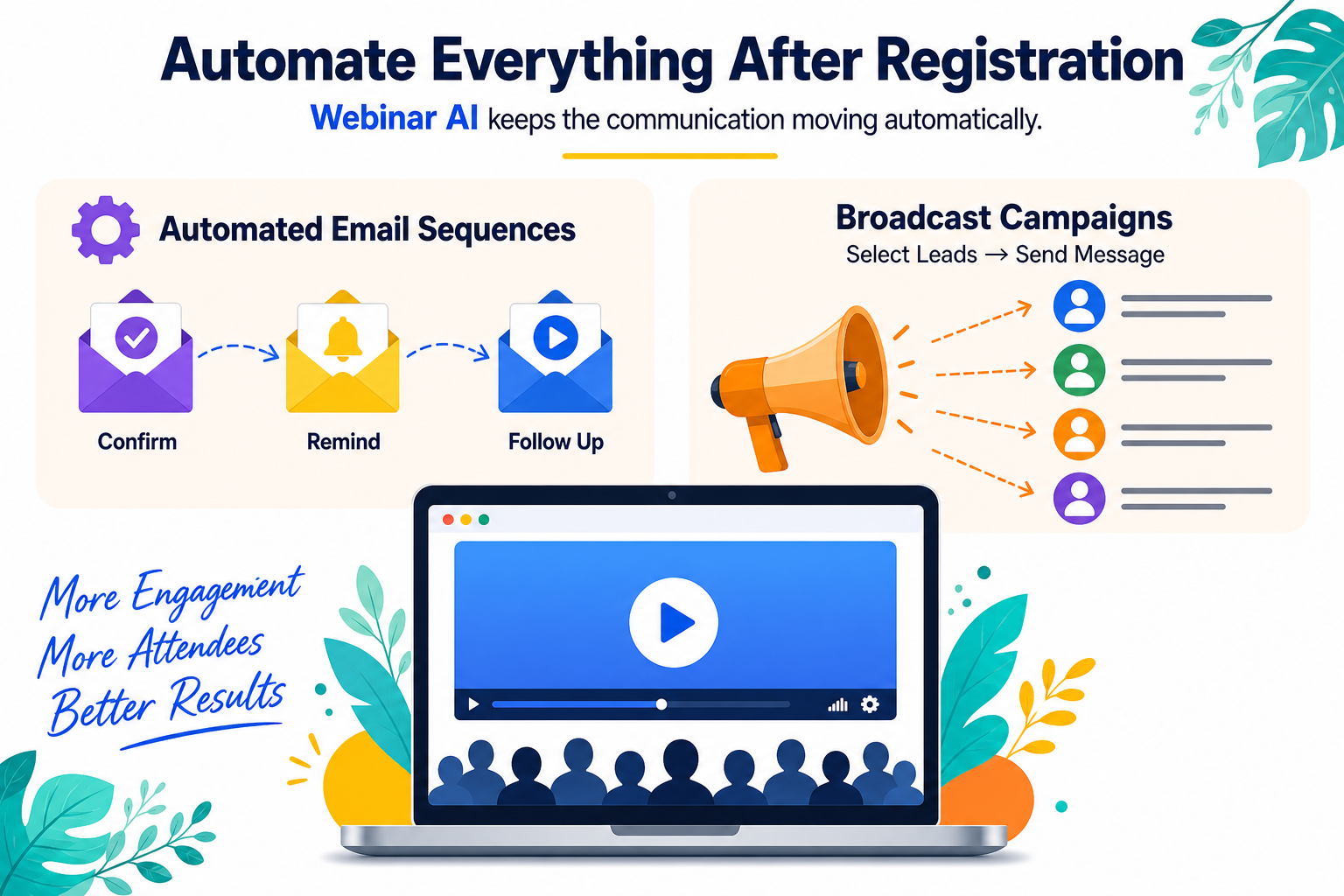
Once someone registers, Webinar AI can continue handling the communication around your webinar.
Automated Email Sequences
Send registration confirmations, reminders, discount offer messages, and follow-ups automatically
Broadcast Campaigns
Send messages to selected groups of leads when needed.
Know What Your Attendees Are Doing
See what happens after someone registers instead of
treating every lead the same

Watch-Time Analytics
See how long attendees stay with your presentation

Registration Tracking
Monitor who is registering for your webinars

Lead Export
Export your lead information when you need it elsewhere

Engagement Data
Track interactions with your webinar and offer
Build Your Next Webinar Faster

Once you've created one webinar, you don't have to start from zero
One-Click Duplicate
Duplicate an existing webinar and reuse its configuration, AI settings, knowledge base, timed chat, offer settings, registration design, and other elements.
Then change the video and adjust the details for your next presentation.
From Existing Video To Automated Webinar

01 — Choose Your Video
Use a YouTube video, Vimeo video, MP4 URL, or upload your own MP4
02 — Create Your Registration
Choose a registration design and configure your webinar details
03 — Configure Your Webinar
Add your AI knowledge base, timed chat, polls, offer, countdown, and email sequences
04 — Set Your Schedule
Choose your recurring webinar times or configure your evergreen session settings
05 — Let Webinar AI Run It
Registrations, reminders, webinar sessions, engagement, offers, follow-ups, and tracking run through the platform
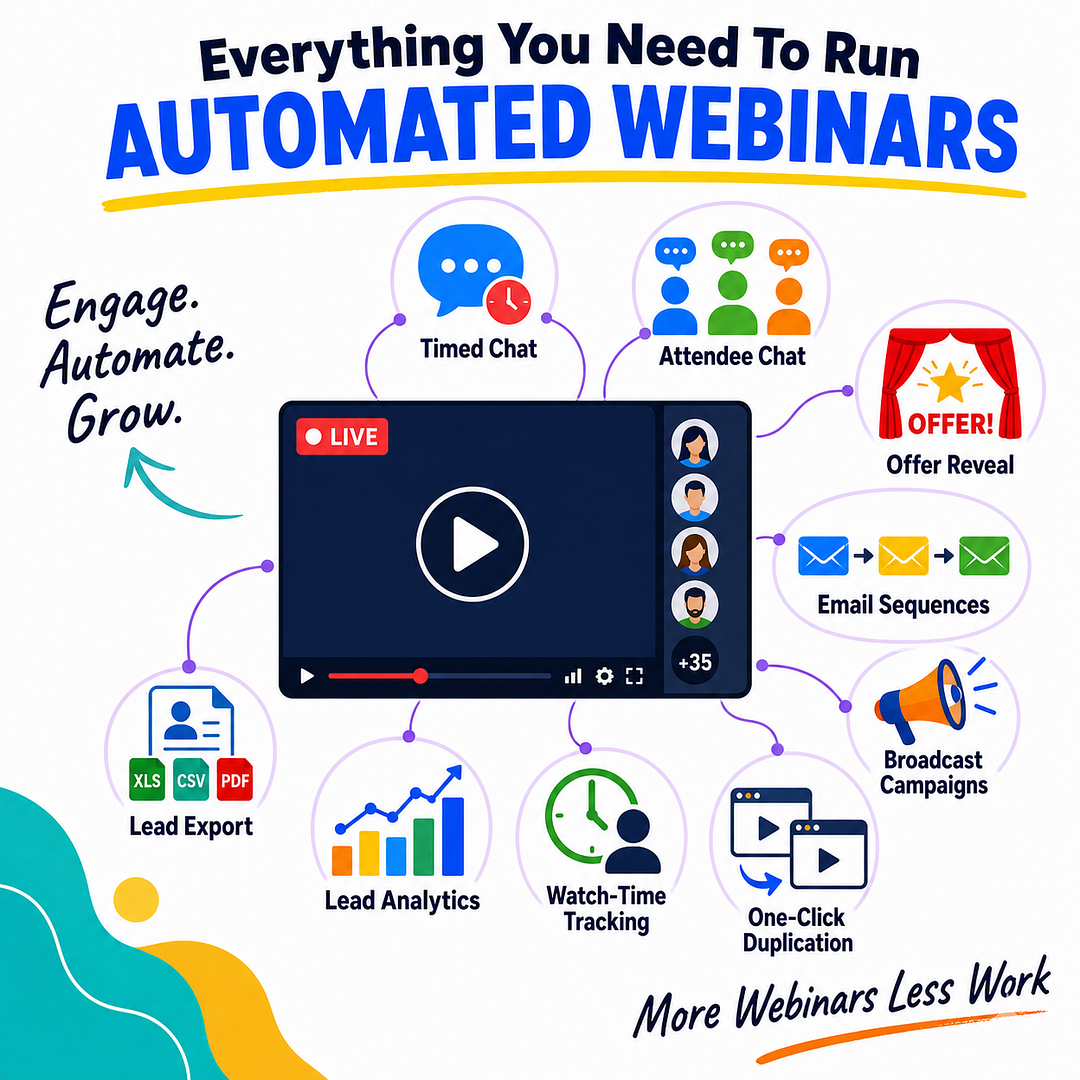
Everything You Need To Run
Automated Webinars
-Timed chat messages
-Attendee chat
-Timed polls
-Timed offer reveal
-Automated email sequences
-Broadcast campaigns
-Lead analytics
-Watch-time tracking
-Lead export
-One-click webinar duplication
Turn Any Video Into A Webinar That
Works 24/7 For You

Your webinar doesn't have to stay buried on YouTube, Vimeo, or your video library.
Take the presentation you've already created.
Connect the video.
Build the registration and webinar experience around it.
Then let Webinar AI handle the process from registration through follow-up.
Use YouTube. Use Vimeo. Use an MP4 URL. Upload an MP4.
Your video. Your webinar. Your automated system.
Choose Your Package
Webinar AI Personal
Webinar AI PRO
Webinar AI Unlimited
This MASSIVE DEAL Closes When
The Timer Reaches Zero
You missed out!
Actual Retail Price Including Bonuses- Pricele$$

100% FREE When You Claim
Webinar AI Unlimited

Retail Value -$9.90
Retail Value -$10.99

Retail Value -$14.90
Retail Value -$15.09
This MASSIVE DEAL Closes When
The Timer Reaches Zero
You missed out!
Actual Retail Price Including Bonuses- Pricele$$
No One Does Value like...5 Dollar Fridays

Weekly Giveaways
Each Giveaway has a genuine retail value between $9.95 and $99.95
Click the underlined text below to access your download 100% FREE...
(no purchase or optin required)